

Salesforce has been around for more than two decades, and for most of that time, there was a fairly obvious answer to a simple question:
How do you use Salesforce?
You log in.
A sales representative opens an opportunity. A service agent works on a case. An administrator opens Setup. A developer writes Apex, configures Flow, deploys metadata, and works with the platform through Salesforce’s familiar tools.
But software is changing.
Today, the thing interacting with Salesforce doesn’t always have to be a person sitting at a computer. It could be a custom web application, a mobile app, an integration, a developer tool, or an AI agent.
That raises a different question:
What if Salesforce didn’t have to be the interface at all?
That’s the idea behind Salesforce Headless 360.
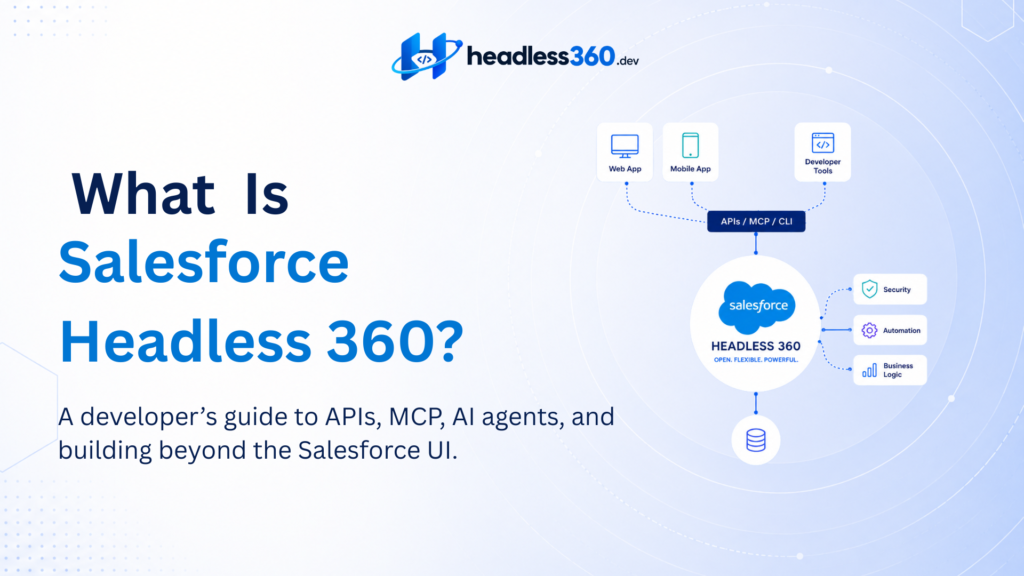
Salesforce introduced Headless 360 in April 2026 as a broader platform direction to expose Salesforce capabilities via APIs, Model Context Protocol (MCP) tools, and CLI commands. The goal is to enable humans, applications, developers, and AI agents to work with Salesforce capabilities outside the traditional Salesforce UI.
For Salesforce developers, this is more than just another feature to learn.
It changes how we can think about the platform.
What does “headless” mean?
Let’s start with the word itself.
In a traditional application, the frontend and backend are usually designed to work together.
A user interacts with a screen. The screen calls the application logic. The application works with data.
Something like:
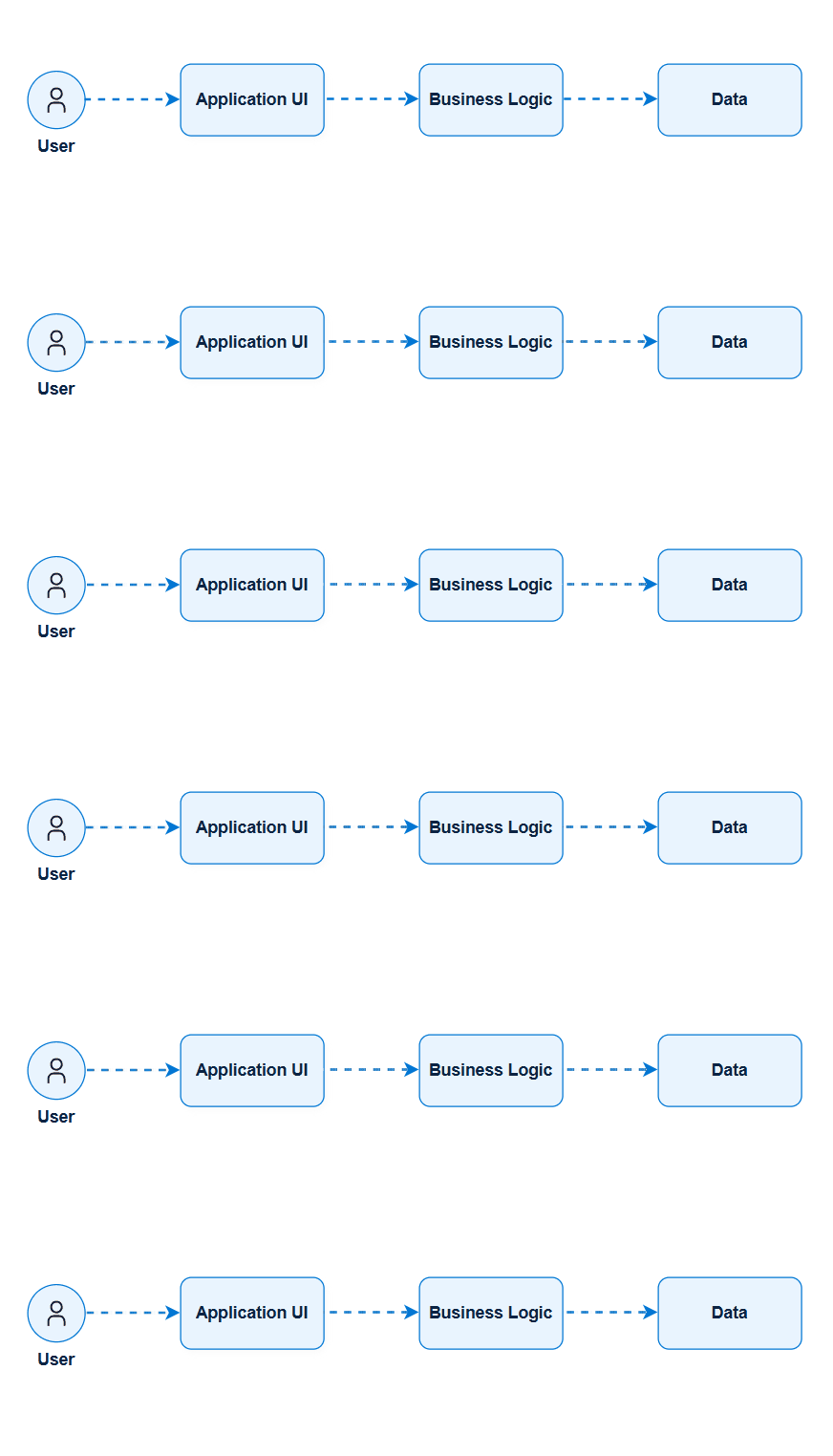
A headless architecture separates the experience from the underlying capabilities.
The same backend can potentially serve multiple experiences:
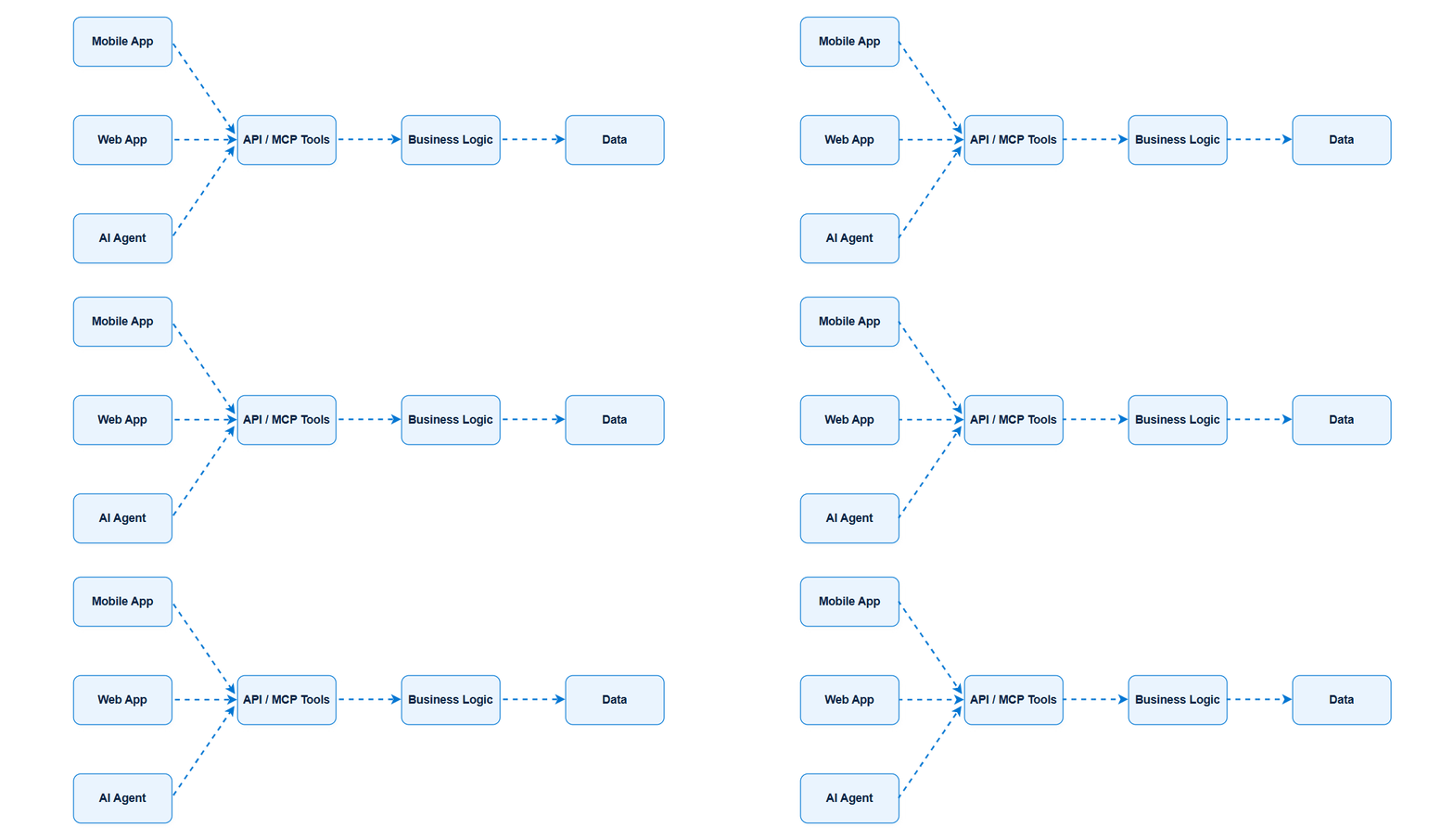
The “head” is the presentation layer.
Remove that dependency, and many different heads can consume the underlying system.
That’s the basic idea behind headless architecture.
It doesn’t mean the frontend disappears. It means the backend isn’t tied to one particular frontend.
What is Salesforce Headless 360?
At a high level, Salesforce Headless 360 is Salesforce’s approach to making the platform’s capabilities accessible beyond the traditional Salesforce interface.
Salesforce describes the direction as exposing Salesforce capabilities through APIs, MCP tools, and CLI commands, allowing authenticated callers—including applications, developers, and agents—to build and act on the platform from different surfaces.
Think about the difference like this.
Traditional Salesforce
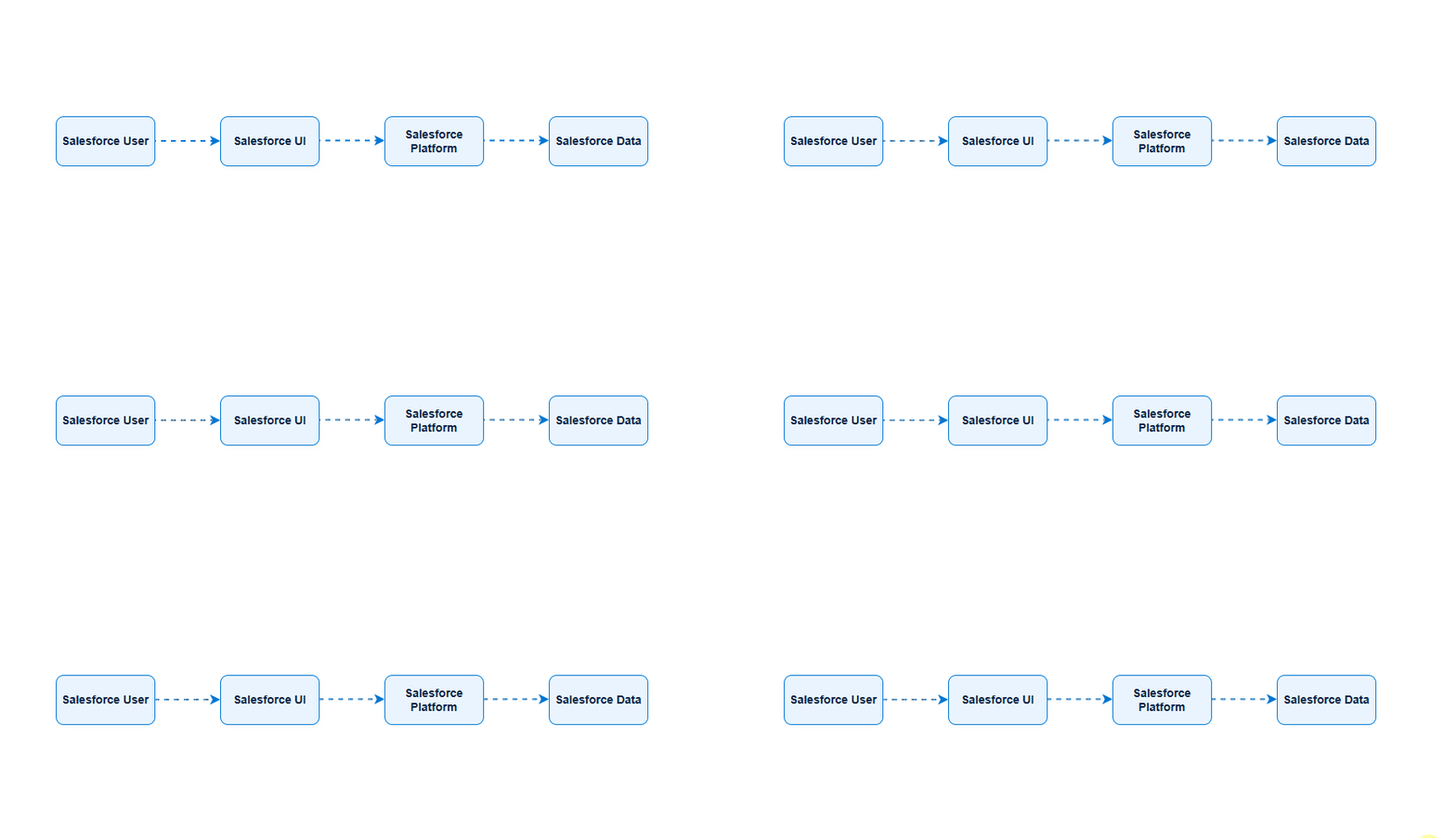
Headless approach
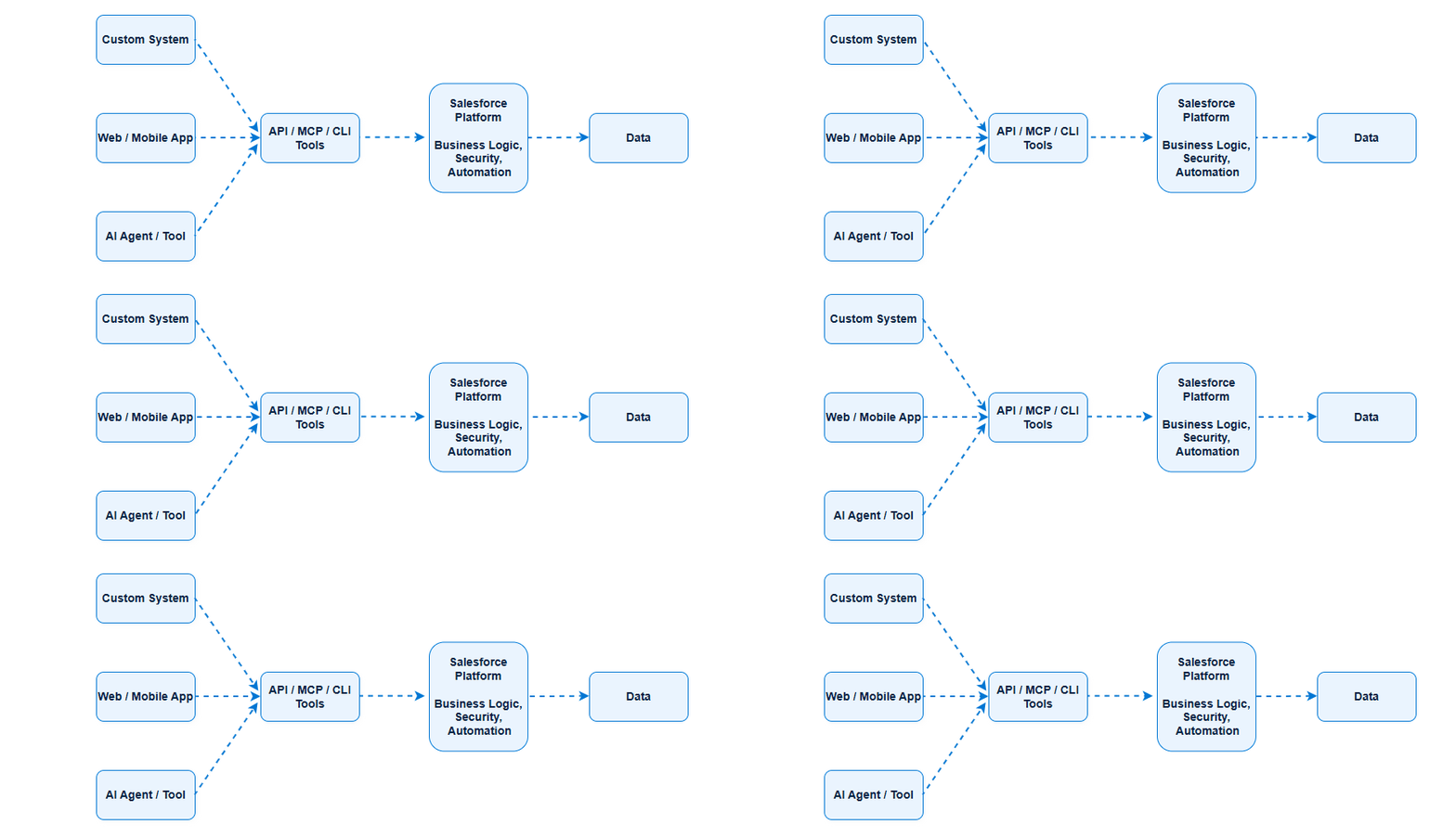
The Salesforce UI hasn’t suddenly become irrelevant.
That’s not the point.
If your sales team is perfectly happy using Lightning Experience, there may be no reason to replace it.
The difference is that the UI is no longer the only meaningful way to consume Salesforce capabilities.
Why is Salesforce doing this now?
The timing matters.
Salesforce has always had APIs. Developers have been integrating Salesforce with external systems for years.
So Headless 360 isn’t simply:
“Salesforce now has APIs.”
It doesn’t.
The bigger shift is that Salesforce is increasingly designing the platform so that its capabilities can be composed and consumed by applications and AI agents, rather than accessed only through a human-oriented interface.
Salesforce’s own developer materials describe Headless 360 as a platform shift in which the primary consumer can be an authenticated human, an application, an agent, or a CLI, rather than someone navigating the Lightning UI.
And there’s another important piece.
AI agents.
An AI agent doesn’t naturally work the way a human does.
You don’t want an agent to open Salesforce, find the Accounts tab, click a record, locate a button, and hope the UI hasn’t changed.
An agent needs capabilities that it can discover and invoke programmatically.
That’s where APIs and MCP become particularly interesting.
Headless 360 and AI agents
Imagine a developer asks an AI agent:
“Find all opportunities closing this month with a value above $100,000, identify the ones without recent activity, and prepare a follow-up list.”
A human might accomplish that through several Salesforce screens.
An agent needs something different.
It needs access to the underlying capabilities.
The architecture starts looking like:

The agent doesn’t need to become a human user of the Salesforce UI.
It needs a governed way to discover what it can do and execute those capabilities.
That’s one of the areas where Salesforce’s Hosted MCP Servers fit into the Headless 360 story. Salesforce describes Hosted MCP Servers as managed entry points through which AI clients, agents, and developer tools can interact with Salesforce using the MCP standard.
What is MCP?
MCP stands for Model Context Protocol.
If you’ve been following AI development recently, you’ve probably seen the term everywhere.
The simplest way to think about MCP is:
MCP provides a standardized way for AI applications to discover and use capabilities provided by external systems.
Instead of every AI application inventing its own integration mechanism, MCP provides a common protocol for connecting models and agents to tools and other capabilities.
For Salesforce developers, that creates an interesting possibility.
Instead of writing a custom integration for every AI client, you can expose capabilities through an MCP-compatible interface.
Salesforce now provides several Hosted MCP solutions, including the Headless 360 MCP Server.
The Headless 360 MCP Server
This is where things get particularly interesting for developers.
Salesforce’s Headless 360 MCP Server is currently a Beta service, introduced in July 2026. It provides a single MCP connection to a broad and growing set of Salesforce capabilities.
And Salesforce made an interesting architectural choice.
Instead of exposing thousands of individual MCP tools, the server currently presents four tools:
- Discover
- Describe
- Dispatch
- Dispatch Read-Only
The idea is simple but powerful.
The agent doesn’t need to load a gigantic list of tools into its context and figure out which one to use.
It can discover the appropriate capability when needed.
Discover → Describe → Dispatch
This is one of the concepts I think every Salesforce developer experimenting with Headless 360 should understand.
Suppose an agent receives a request:
“Create a permission set for our new sales application.”
The agent doesn’t necessarily need to know the exact Salesforce operation beforehand.
It can follow a flow like:

Discover
The agent searches for the capability that best matches the request.
Salesforce says Discover performs a semantic search across available Salesforce operations and returns ranked candidates.
Describe
Once the agent finds a candidate, Describe provides the technical contract for that operation.
That can include things such as:
- APIs
- Parameters
- Dependencies
- Ordered steps
The agent now has a much clearer understanding of what it needs to execute.
Dispatch
Dispatch actually runs the selected operation.
There is also a Dispatch Read-Only tool for operations where the agent needs only to retrieve information, not change data or configuration.
This four-tool model is one of the more interesting parts of the current Headless 360 architecture.
The tool surface remains relatively small while the library of capabilities behind it can continue to grow.
What can the Headless 360 MCP Server do?
The current Beta already reaches beyond simple record queries.
Salesforce’s documentation lists capabilities including:
- Querying, creating, and updating Salesforce records
- Managing users
- Assigning permission sets and permission set licenses
- Reading, writing, and deploying Apex triggers
- Working with Platform Events and Change Data Capture
- Managing Event Relays
- Creating Named Credentials
- Managing Commerce Cloud orders
That list is important because it demonstrates the broader direction.
We’re not simply talking about:
“Ask an AI about my Salesforce records.”
We’re talking about agents potentially performing platform operations.
That is a much bigger architectural problem.
And a much more interesting one for developers.
Does Headless 360 replace the Salesforce UI?
No.
This is probably the first misconception worth removing.
Headless does not mean:
Salesforce UI = old
Headless = new
Everyone should migrate
That’s the wrong way to look at it.
Consider a sales organization with 500 employees who already use Salesforce effectively.
If Lightning Experience solves its problem, introducing a completely custom frontend could create unnecessary complexity.
You now have another application to build.
Another authentication flow.
Another deployment pipeline.
Another frontend codebase.
Another monitoring problem.
Why?
The architecture should follow the business requirements, not technology trends.
When does headless make sense?
There are situations where the separation becomes very useful.
For example:
A custom customer portal
You may want a React or Next.js application that provides a completely customized customer experience while Salesforce remains the system of record and business platform.
A mobile application
A mobile experience may need Salesforce data and capabilities without reproducing the Salesforce UI.
An AI agent
An AI agent needs programmatic access to capabilities rather than a collection of screens.
Multiple experiences
Perhaps the same business capability needs to appear in:
- Web
- Mobile
- Slack
- Voice
- AI
- Internal applications
In that situation, exposing the capability independently from the presentation layer can make architectural sense.
Headless doesn’t mean “build everything yourself”
This is another trap developers can fall into.
A headless architecture can give you more freedom, but freedom comes with responsibility.
If you build your own frontend, you’re responsible for things Salesforce previously handled for you.
Think about:
- Authentication
- Authorization
- Error handling
- Performance
- Accessibility
- Monitoring
- Caching
- UX
- Deployment
- Security
That’s why I wouldn’t describe Headless 360 simply as “a better way to build Salesforce.”
It’s a different architectural option.
And like every architectural option, it comes with trade-offs.
APIs are still important
If you’ve been a Salesforce developer for years, you might be thinking:
“Wait. I’ve already been using Salesforce APIs.”
Exactly.
That’s why Headless 360 isn’t a sudden invention of API-based Salesforce.
REST APIs, SOAP APIs, Bulk APIs, Composite APIs, and other Salesforce interfaces have been around for a long time.
What changes is the broader context in which these capabilities are being used.
Historically, an API call might have looked like:
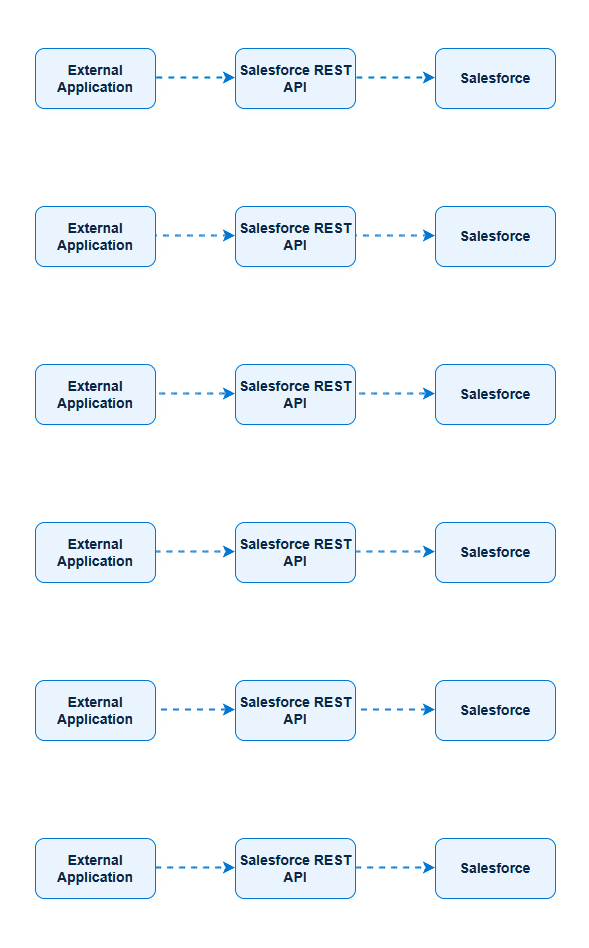
With AI agents, you can have:

The consumer has changed.
And that changes the architectural questions.
Salesforce itself describes this as an evolution in integration architecture: the existing integration patterns still matter, but architects now have to consider who is consuming those capabilities and what expectations agents bring to the system.
What does Headless 360 mean for Salesforce developers?
This is probably the part I care about most.
Headless 360 doesn’t make traditional Salesforce skills obsolete.
Your knowledge of:
- Apex
- SOQL
- Data modeling
- Flow
- Security
- Sharing
- APIs
- Platform Events
- Integrations
still matters.
In fact, it may matter even more.
But the boundary of Salesforce development is expanding.
A developer who understands only the Salesforce UI may eventually find themselves constrained.
A developer who understands Salesforce, APIs, external applications, AI agents, and architecture has a much broader toolbox.
You may need to become comfortable with concepts such as:
API architecture
Understanding how capabilities should be exposed and consumed.
Authentication
OAuth, External Client Apps, scopes, tokens, and identity.
Modern frontends
React, Next.js, mobile frameworks, and other presentation technologies.
MCP
Understanding how AI clients discover and invoke tools.
AI agents
Not just prompting an LLM, but designing systems that can reason, call tools, and perform actions.
Enterprise architecture
Security, governance, observability, scalability, and failure handling.
That combination is where things get interesting.
Security becomes even more important
There’s a slightly uncomfortable reality with headless systems:
Once you remove the UI, you also remove some of the implicit guardrails that humans were relying on.
An agent doesn’t need to navigate a screen to act.
So the underlying security model has to be strong.
Salesforce’s Hosted MCP security model applies authentication, authorization, object permissions, field-level security, sharing rules, profile permissions, and permission sets to transactions. Actions are executed as the authenticated user, and Salesforce attributes the audit trail to that user.
That’s good.
But architects still need to think carefully about what permissions they give an AI client.
For example, Salesforce specifically recommends configuring MCP clients to require approval before tools perform operations that change configuration or modify/delete data. It also recommends testing configuration changes in a sandbox or Developer org before production.
This is where “AI agent development” starts looking a lot like enterprise architecture.
The hard question isn’t:
“Can the agent do this?”
It’s:
“Should the agent be allowed to do this, under which identity, with which permissions, and with what approval or audit controls?”
That’s a much better question.
Headless 360 vs. traditional Salesforce
Here’s a simplified comparison.
| Traditional Salesforce | Headless 360 approach | |
|---|---|---|
| Primary experience | Salesforce UI | Any appropriate experience |
| Main consumer | Human user | Human, app, agent, developer |
| Presentation | Often Salesforce UI | Decoupled |
| Integration | APIs + integrations | APIs, MCP, CLI, integrations |
| AI interaction | Often added around the platform | AI can directly consume platform capabilities |
| Frontend control | More constrained | Much greater |
| Complexity | Generally lower for native experiences | Potentially higher |
| Best fit | Standard Salesforce experiences | Custom, multi-channel, agentic experiences |
This isn’t a “winner takes all” comparison.
A good architect might use both.
A company could have:

while simultaneously having:
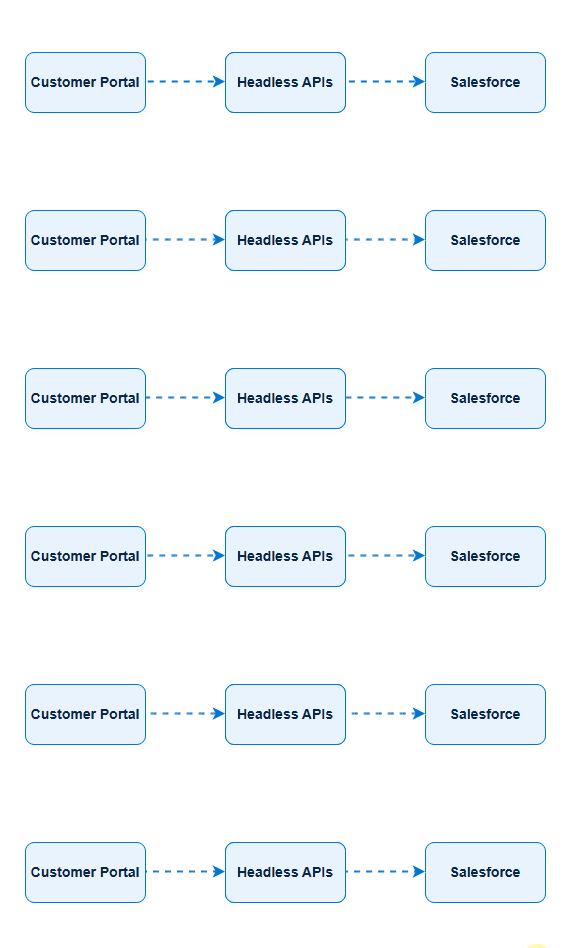
and:
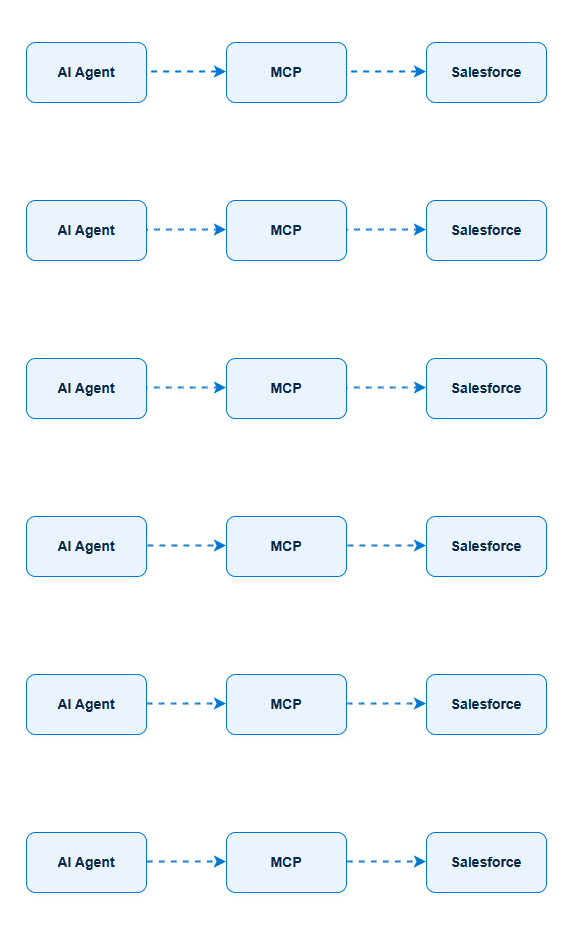
All three can coexist.
That’s one of the things that makes the architecture interesting.
Is Headless 360 only about AI?
No.
AI is probably the most exciting part of the story right now, but headless architecture itself is broader.
You can use headless approaches for:
- Web applications
- Mobile applications
- Custom portals
- External applications
- Voice experiences
- Integrations
- AI agents
- Multi-channel experiences
Salesforce’s Headless 360 announcement explicitly describes experiences across surfaces such as Slack, Voice, and WhatsApp, as well as applications and agents.
AI is accelerating the importance of the architecture.
Isn’t the entire definition of headless?
What should Salesforce developers learn first?
If you’re just starting with Headless 360, don’t try to learn everything simultaneously.
I’d approach it in this order.
1. Understand headless architecture
Know what you’re actually trying to achieve.
Don’t start with tools.
Start with the architecture.
2. Understand APIs
You should be comfortable with authentication, requests, responses, permissions, and Salesforce’s API ecosystem.
3. Learn MCP
Understand what MCP is and, more importantly, why an AI agent needs something like MCP.
4. Build a small experiment
Connect an MCP client to a Developer org.
Query something.
Then perform a controlled action.
See what happens.
5. Start thinking about permissions
Once an agent can actually change your org, security becomes real.
6. Explore custom capabilities
Then start looking at Apex, Flow, custom MCP servers, and ways of exposing business-specific functionality.
7. Think like an architect
Ask:
- Should this capability be exposed?
- Who should access it?
- Should it be read-only?
- Does the agent need write access?
- What happens when the agent makes a mistake?
- How do we monitor it?
- Is headless actually the right solution?
Those questions will take you much further than simply memorizing Headless 360 terminology.
So, is Headless 360 worth learning?
I think it is.
Not because every Salesforce implementation is suddenly going to become headless.
That’s unlikely.
It’s worth learning because the boundary around Salesforce development is changing.
Salesforce is making more of its platform accessible to applications, developer tools, and AI agents. The current Headless 360 MCP Server is still in Beta, and its capabilities continue to evolve, so we should expect implementation details to change over time.
But the architectural direction is already clear.
The Salesforce developer of the future may not spend all day building screens inside Salesforce.
They may build a capability once, expose it through the right interface, and allow that capability to be consumed by a web application, a mobile application, an integration, or an AI agent.
That’s a different way of building.
And it’s probably the most interesting part of Headless 360.
Final takeaway
If I had to explain Salesforce Headless 360 to another Salesforce developer in one sentence, I’d say:
Headless 360 is about making Salesforce capabilities usable beyond the Salesforce UI—through APIs, MCP tools, CLI commands, and other programmable interfaces so applications and AI agents can interact with the platform.
The important word is capabilities.
Headless isn’t really about removing the Salesforce interface.
It’s about removing the assumption that the interface has to be the way everything gets done.
And once that assumption disappears, many interesting architectural possibilities open up.
What to read next
If you’re new to Headless 360, I’d recommend continuing with:
MCP for Salesforce Developers: Model Context Protocol Explained With an Example